![CoCreate-Logo_Black-RGB-1.png]](https://faq.cocreate.ink/hs-fs/hubfs/CoCreate-Logo_Black-RGB-1.png?height=40&name=CoCreate-Logo_Black-RGB-1.png)
Here’s how to update yours:
- Sign in to your account at https://www.cocreate.ink/
- Go to “Profile” from the menu in the top right
- Select the “FAQs” tab
- Add your questions and answers
- Keep them short, clear, and focused
- Break larger topics into multiple FAQs for better readability
- Focus on what clients most commonly ask about: rescheduling, pricing, process, and expectations
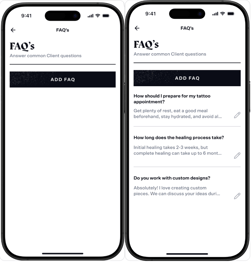
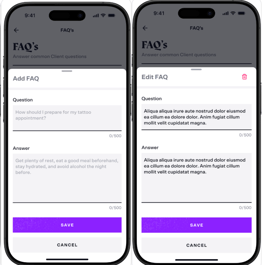
- Click “Save” and add another.
Profile View Example: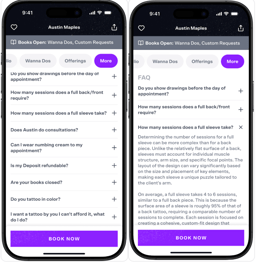
Need help? Email us at support@cocreate.ink—we’re here to support you at every step.