![CoCreate-Logo_Black-RGB-1.png]](https://faq.cocreate.ink/hs-fs/hubfs/CoCreate-Logo_Black-RGB-1.png?height=40&name=CoCreate-Logo_Black-RGB-1.png)
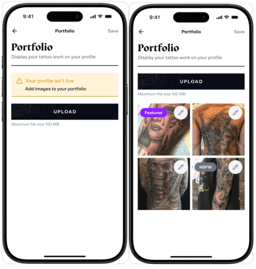
Clients are more likely to book with Artists who showcase more examples of their work. Set expectations about what you can do, so Clients can envision your work on themselves before booking. We recommend uploading at least 10 images, but you can add as few or as many as you'd like.
To set up your portfolio:
- Sign in to your account
- Click the menu in the top right corner, then select Profile
- Go to the "Portfolio" section
What you can upload
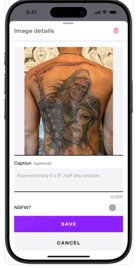
Upload clear images of completed or in-progress tattoos. Add captions to indicate how many sessions a piece took or whether a piece is healed.
Organizing your portfolio
You can reorder your portfolio images at any time to control how Clients see your work. You'll also choose one of your portfolio images as your Featured Image, displayed at the top of your profile.
Have available designs you want to share? See
Need help uploading content or optimizing your portfolio? Reach out to us anytime at support@cocreate.ink—we’re here to support your success.