![CoCreate-Logo_Black-RGB-1.png]](https://faq.cocreate.ink/hs-fs/hubfs/CoCreate-Logo_Black-RGB-1.png?height=40&name=CoCreate-Logo_Black-RGB-1.png)
Open Profile settings
- Once signed into your account, navigate to “Profile”.
Click the menu in the upper right corner and select Profile to access your Booking Profile settings.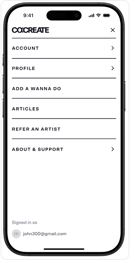
- To personalize your profile, go to “About Me”
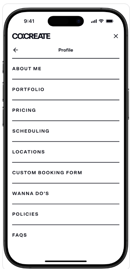
- Add a Bio to introduce yourself, and a Featured Image to personalize your page. Choose Styles, Colors, and Specialization tags to show Clients the type of work you offer. Upload an Intro Video to introduce yourself or show off your workspace, to help build confidence when Clients book with you online. Link your website so Clients can check out your merch or newsletter.
To change the Instagram handle associated with your account, reach out to our Support team. We'll be able to update this for you.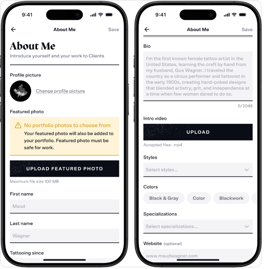
- Save your changes
Be sure to hit “Save” on the top right so your updates appear live on your Booking Profile.
Need help? Reach out anytime to support@cocreate.ink—our team is here to support your onboarding.